CertifiCreate project walkthrough
Scroll over the preview or swipe up to explore. Focus the preview and use arrow keys to move between sections. Scroll or swipe in the opposite direction to return. Reduced motion jumps between sections.
0 1 / The project
CertifiCreate
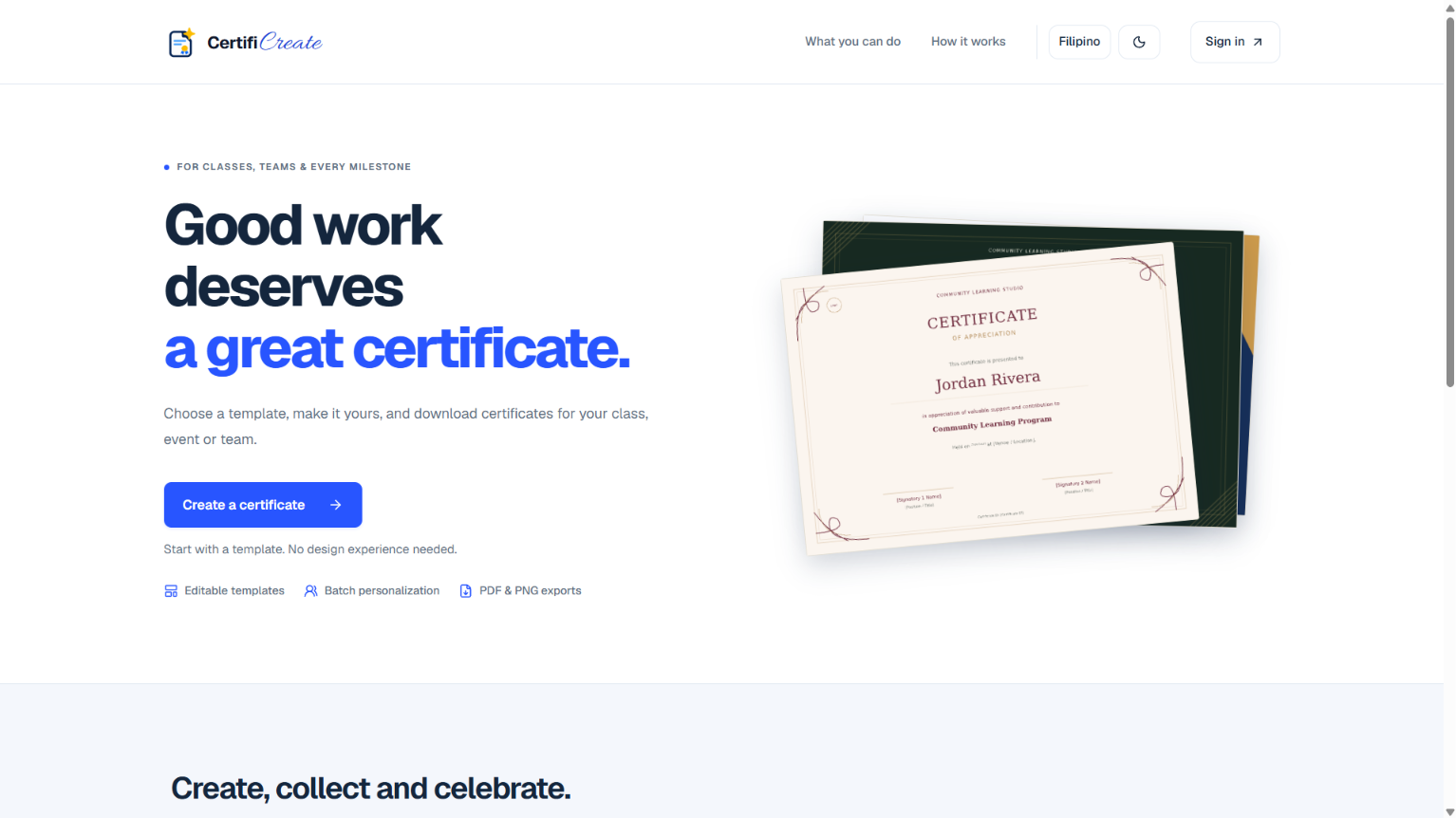
A full-stack certificate creation and batch issuance platform built with Next.js, TypeScript, and Supabase. Features an interactive vector/canvas template editor, CSV recipient importing, personalized high-resolution PDF/PNG batch generation with ZIP export, and secure guest digital signature links with token expiration.
0 2 / The interface
A closer look at CertifiCreate.
CertifiCreate landing page with sample certificates and a Create a certificate button
0 3 / Step inside
Beyond the surface.
Follow the workflow from choosing a template to sharing a finished certificate.
Feature space / 01
Create a certificate
Start with an editable design for a class, event, or team, then personalize it for one recipient or a whole batch.
Feature space / 02
Template gallery
Search the gallery or filter by theme, certificate type, and orientation. Preview designs for recognition, participation, and completion.
Feature space / 03
Review and download
Preview a personalized certificate, check text fit and signature status, then choose PDF, PNG, or both for the ZIP download.
Feature space / 04
Batch export progress
Track certificate generation and ZIP packaging. Pause after the current step and return later to resume the batch.
Feature space / 05
Shared certificate
Open a shared certificate on its own page to see the full document alongside its issuer and category details.
CertifiCreate screenshots
Create a certificate
Start with an editable design for a class, event, or team, then personalize it for one recipient or a whole batch.
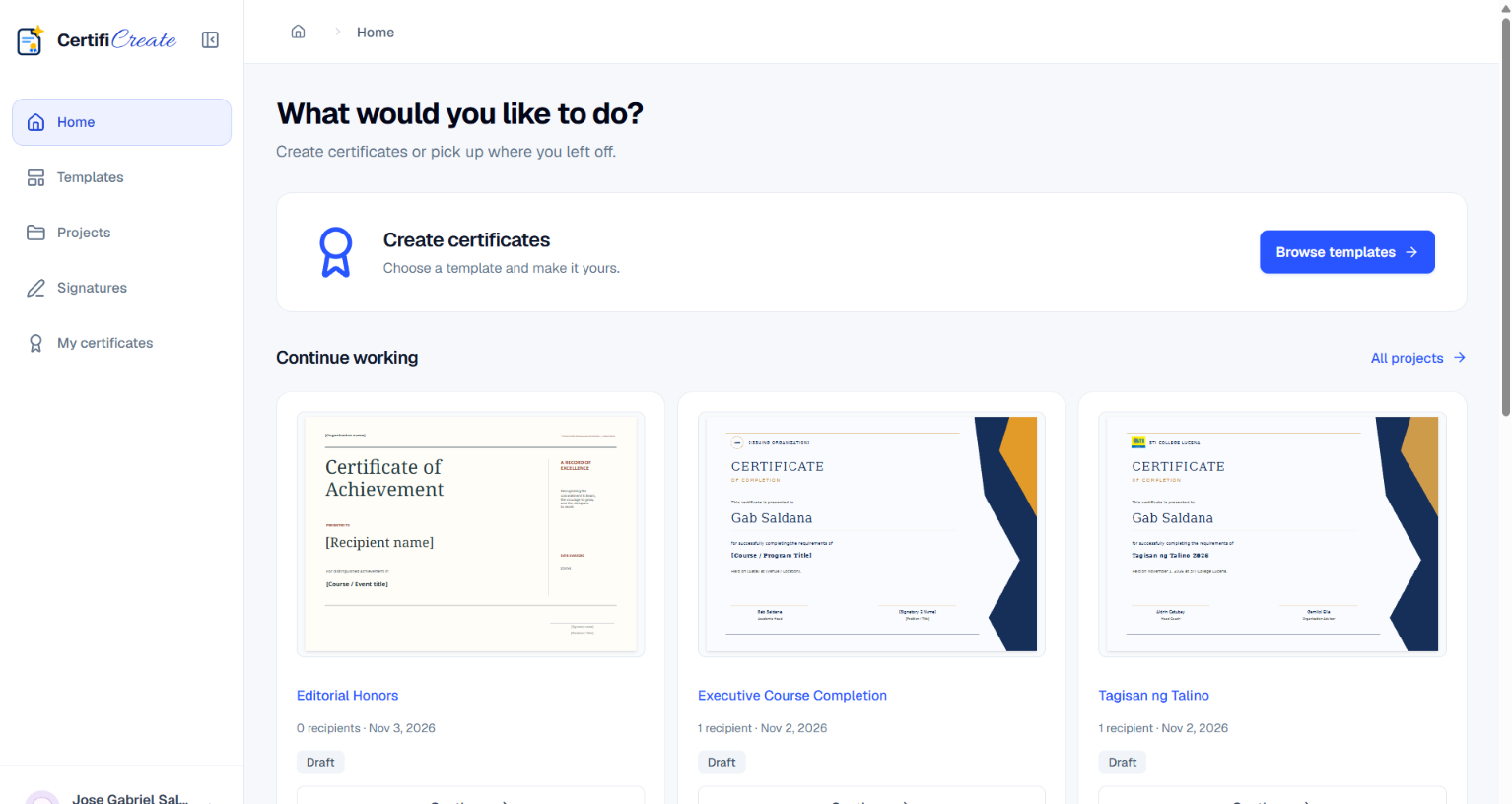
Project workspace
Start a certificate or pick up a draft from Continue working. Each draft shows its design, recipient count, and last update.
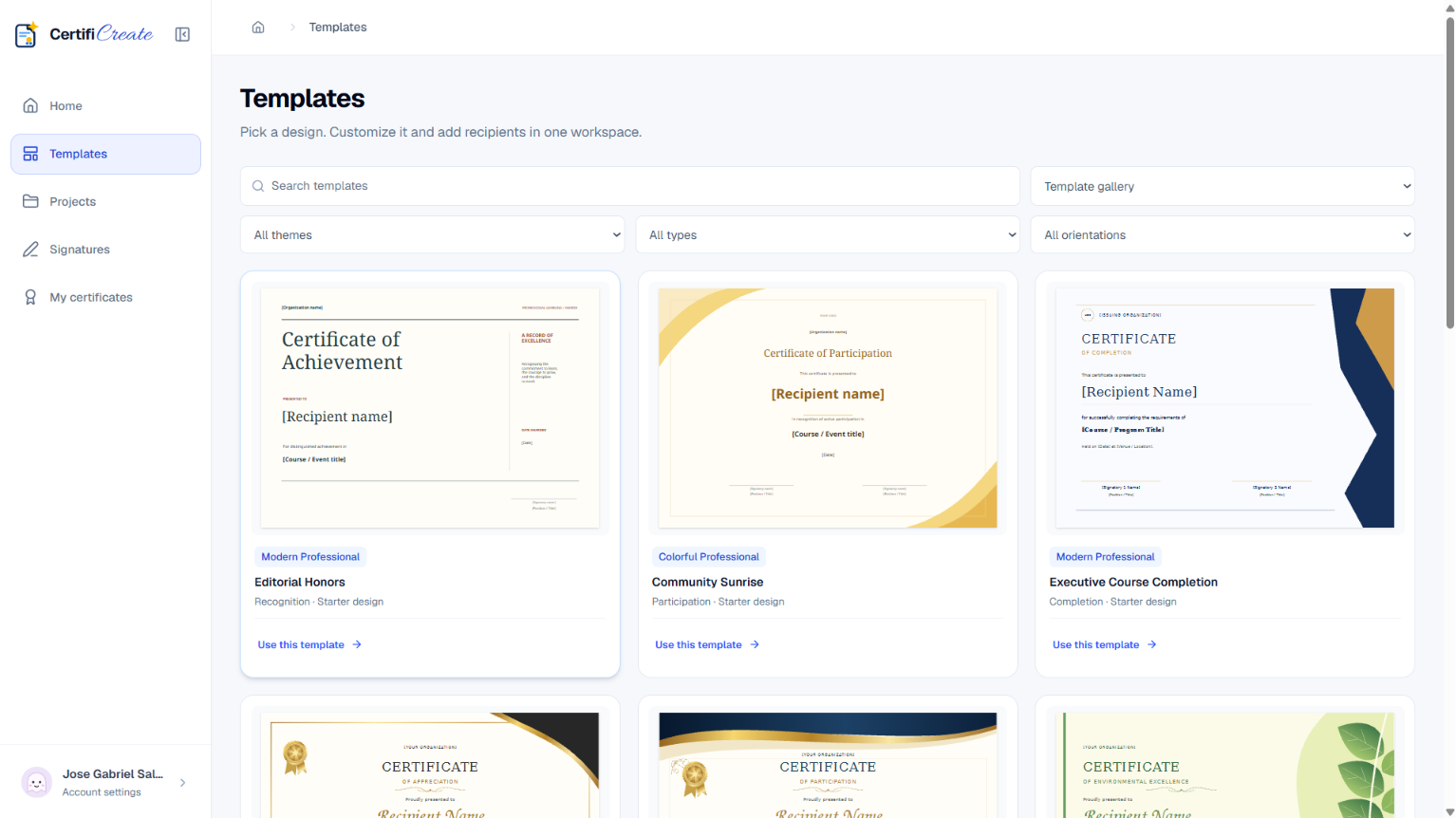
Template gallery
Search the gallery or filter by theme, certificate type, and orientation. Preview designs for recognition, participation, and completion.
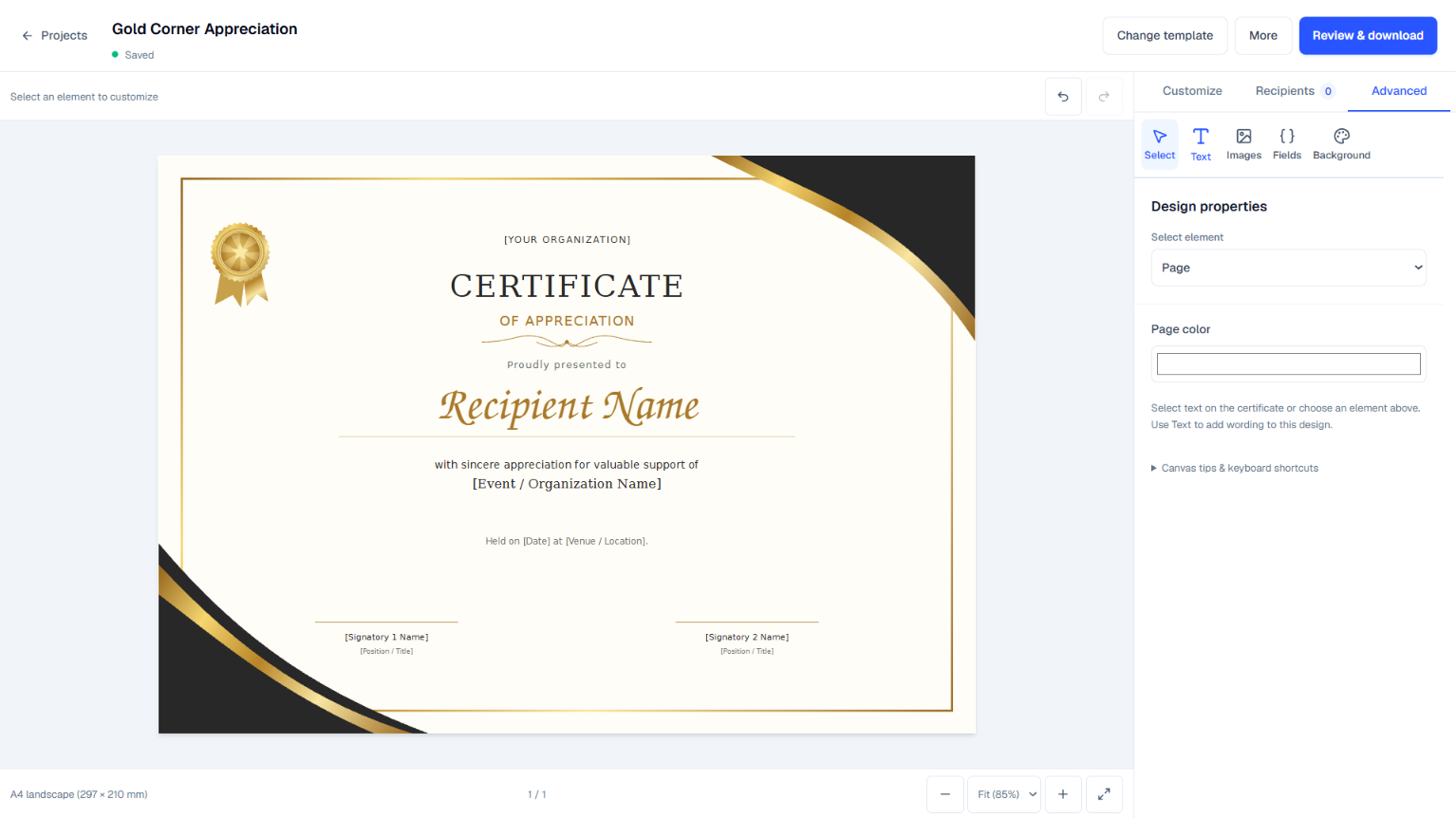
Certificate editor
Edit text, images, recipient fields, and the background while seeing how the design looks on the certificate canvas.
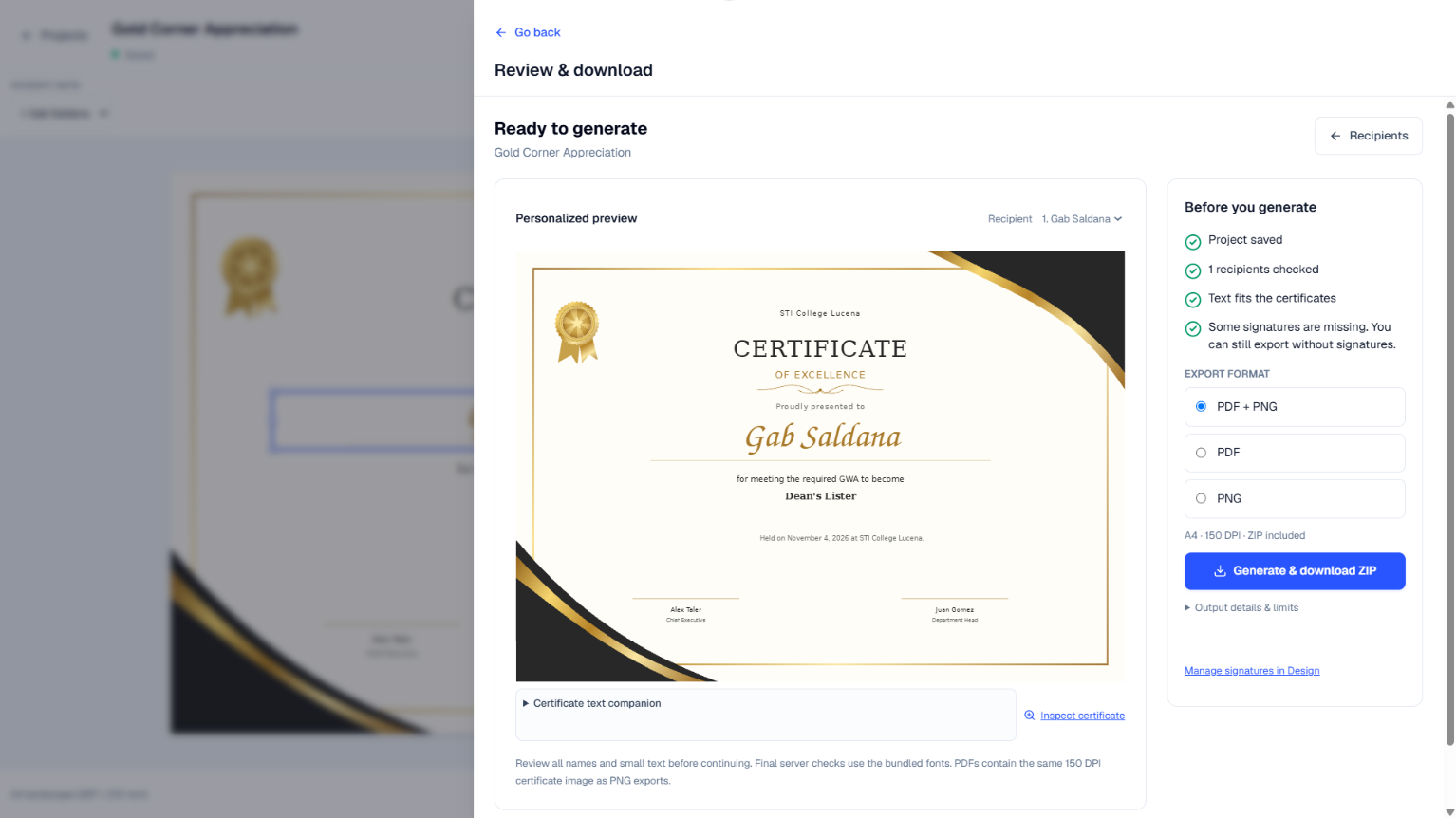
Review and download
Preview a personalized certificate, check text fit and signature status, then choose PDF, PNG, or both for the ZIP download.
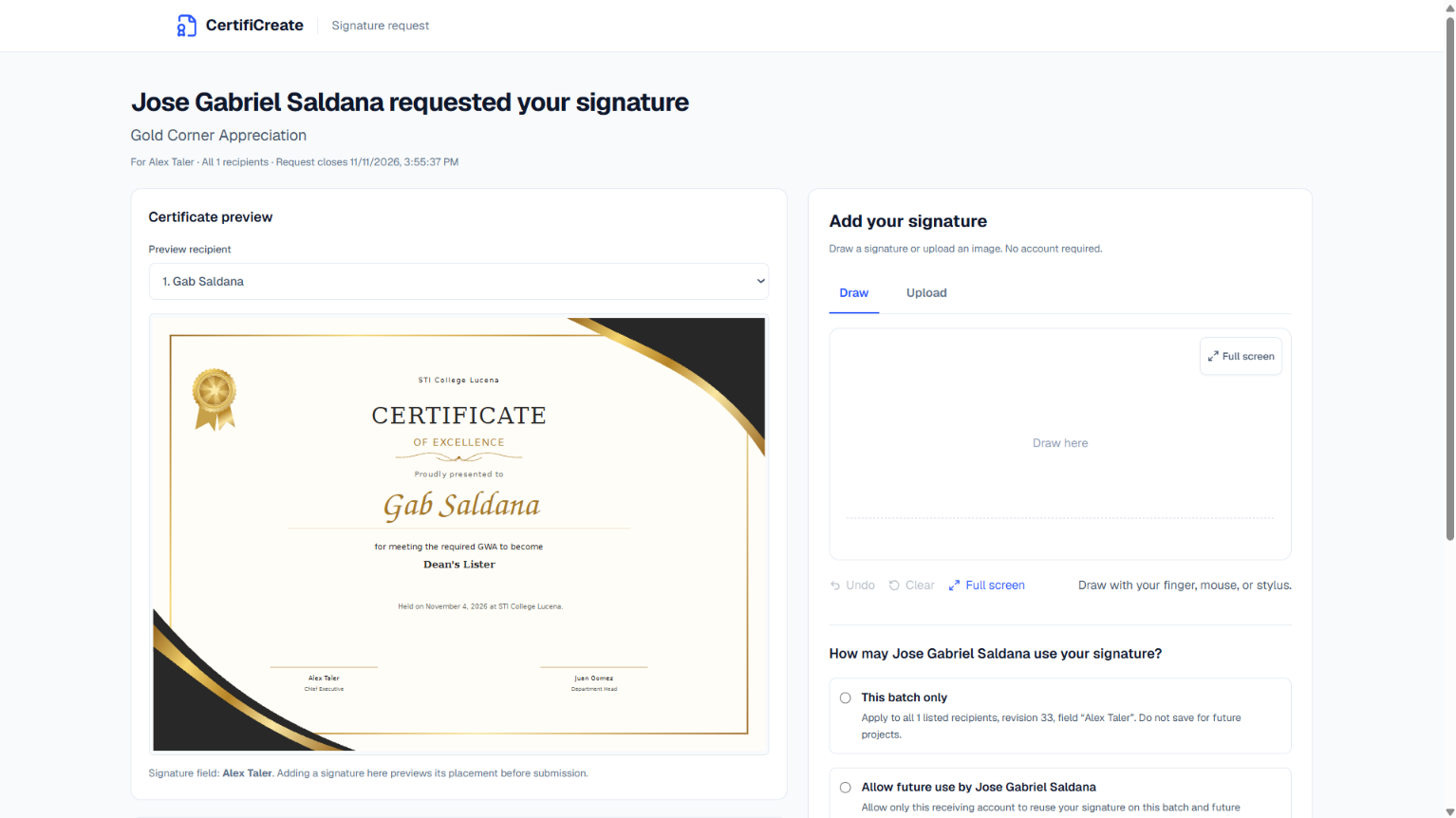
Signature requests
Signers can preview the certificate and draw or upload a signature without an account. They can limit use to the current batch or allow reuse.
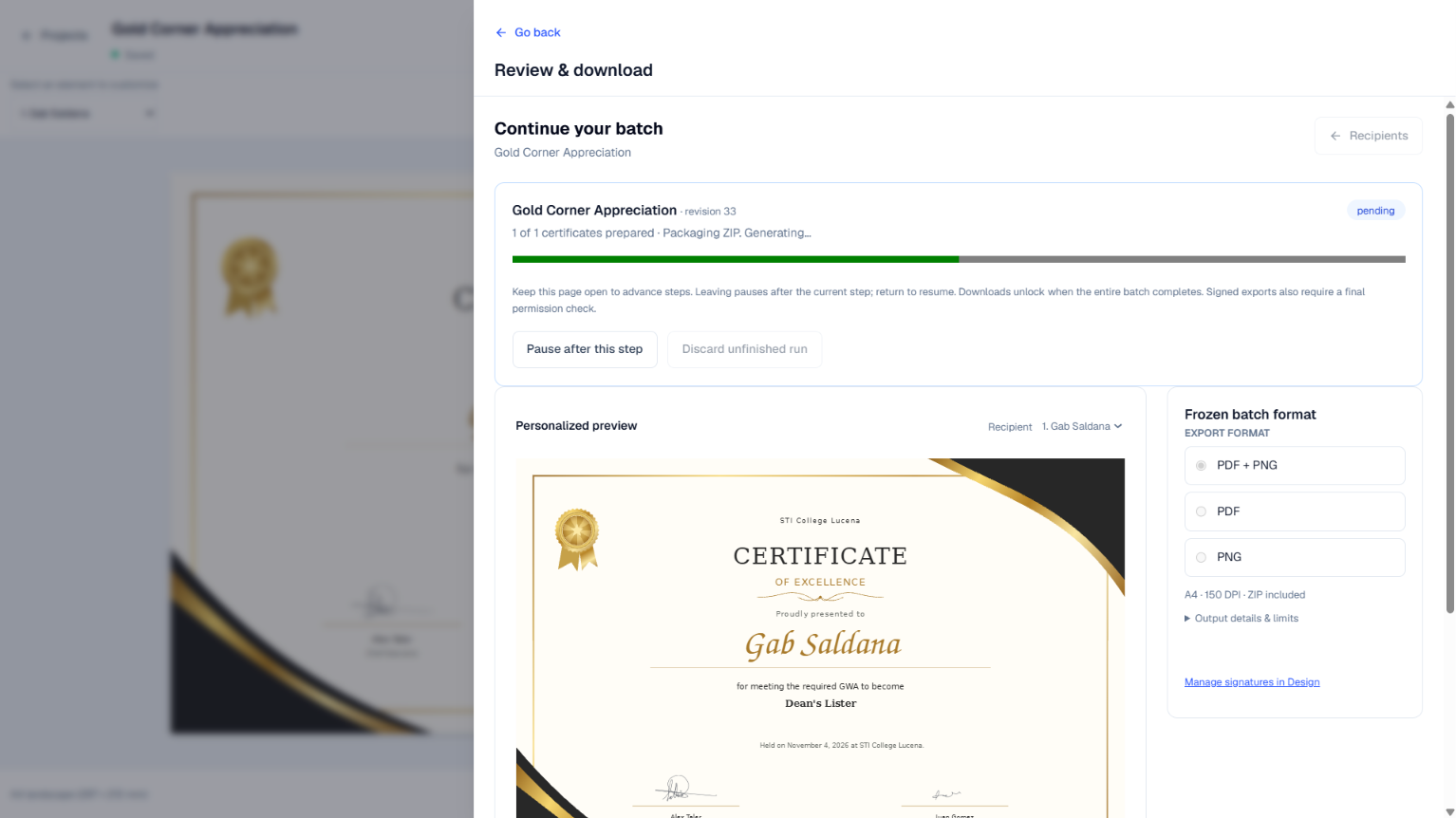
Batch export progress
Track certificate generation and ZIP packaging. Pause after the current step and return later to resume the batch.
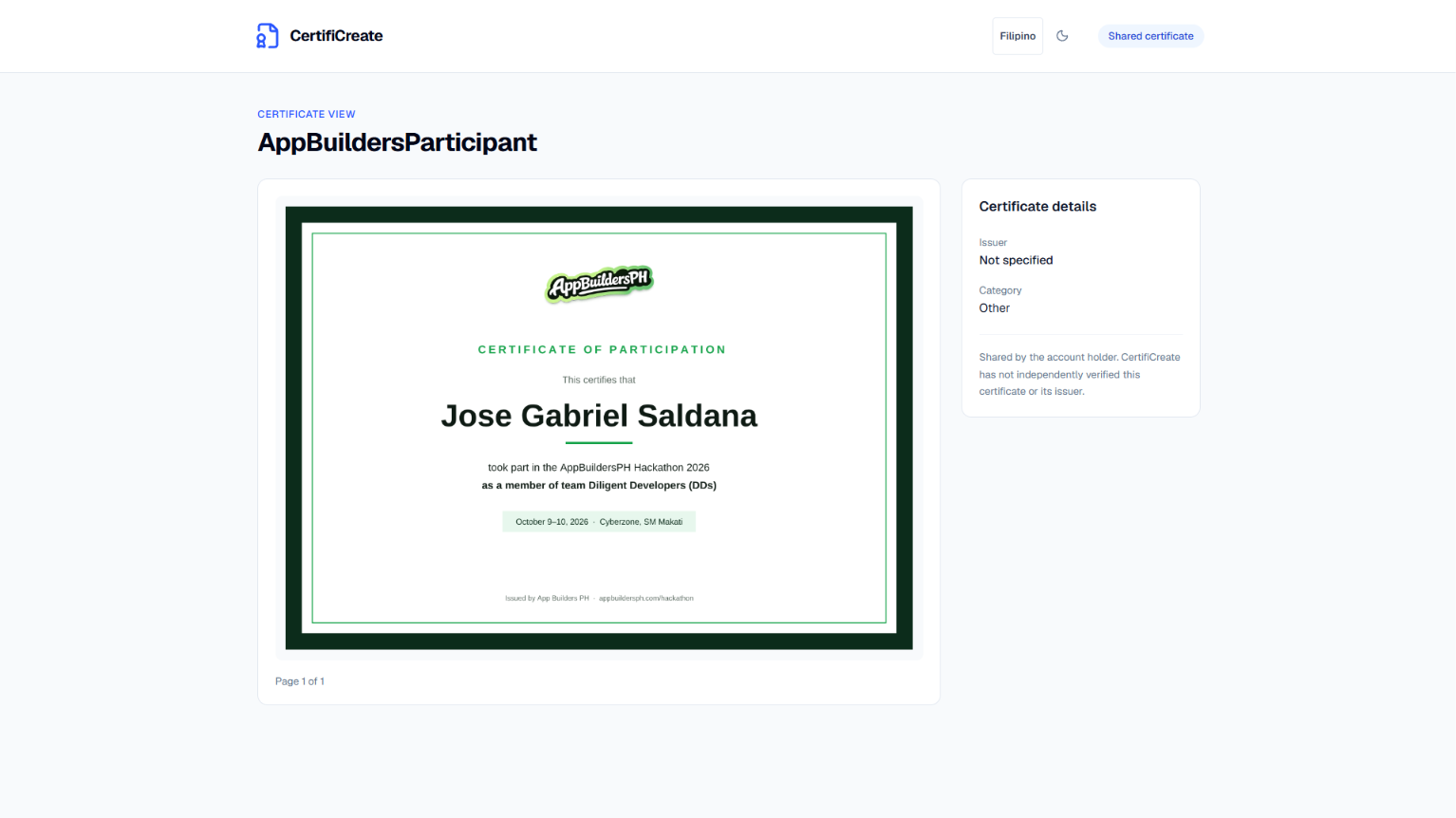
Shared certificate
Open a shared certificate on its own page to see the full document alongside its issuer and category details.